
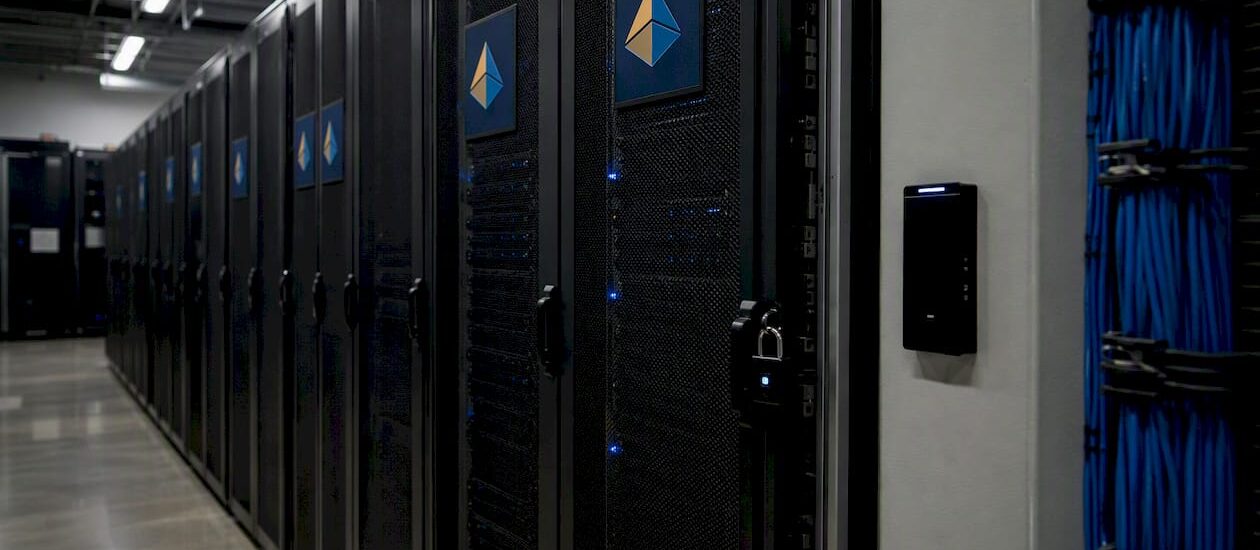
Secure data storage means protecting the confidentiality, integrity, and availability of your data wherever it lives — at rest on disk, in transit across networks, and in active use by applications. Two things you can do right now: enable encryption at rest on every storage volume and bucket you own, and separate your backup admin credentials from your production admin credentials so a single compromised account can’t wipe both. Those two moves alone close the gaps that cause the most painful recoveries.
The CIA triad is the foundation everything else builds on:
- Confidentiality — only authorized users and systems can read the data
- Integrity — data cannot be altered without detection
- Availability — data is accessible when you need it, including after an incident
Key Takeaways
Secure data storage requires encryption, immutable backups, separated credentials, and continuous monitoring — applied across every state your data occupies, from creation through disposal.
| Point | Details |
|---|---|
| Encrypt everything at rest | Apply AES-256 encryption to every volume, bucket, and backup set, starting with regulated or sensitive data. |
| Separate backup credentials | Keep backup admin access isolated from production admin access so one compromised account can’t destroy both. |
| Use immutable backups | Immutable snapshots prevent ransomware actors from deleting your recovery points — the decisive control for incident recovery. |
| Test restores, not just completion | A backup that hasn’t been restored to a test environment is an assumption, not a guarantee. |
| Blue Prysm for strategy alignment | Blue Prysm helps teams translate secure-data priorities into executive roadmaps and governance frameworks that stick. |
What does secure data storage actually cover?
The scope is wider than most teams initially assume. Storage security, per SNIA guidance, is a convergence of storage, networking, and security disciplines that requires physical, technical, and administrative controls applied across the entire storage ecosystem.
Data at rest is stored data sitting on disk, tape, SAN/NAS, object buckets, or backup media — not actively moving. Data in transit is data moving across a network, between services, or between a client and a cloud endpoint. Data in use is data loaded into memory or being actively processed by an application, the hardest state to protect and the one most teams overlook.
Responsibility for each state usually falls across multiple teams: storage admins own the physical and volume layer, application owners own in-use protections, and cloud providers share responsibility for infrastructure under the shared-responsibility model. Knowing who owns what is not optional.
Storage destinations that need controls:
- On-premises SAN and NAS arrays
- Backup and archival media (tape, disk vaults)
- Cloud object storage buckets (S3, Azure Blob, GCS)
- Endpoint and laptop local storage
- Database volumes and file shares
- Hybrid cloud and edge storage nodes
Pro Tip: Map every storage destination to an owner before you write a single policy. An unmapped bucket is an unprotected bucket.
Why the CIA triad shapes every storage decision
Storage security is centered on the CIA triad — confidentiality, integrity, and availability — and each pillar maps directly to controls you either have or don’t.
- Confidentiality failure means unauthorized parties read your data. Controls: encryption at rest and in transit, access control lists, RBAC, key management.
- Integrity failure means data is altered without detection — by an attacker, a ransomware payload, or a misconfigured process. Controls: cryptographic hashing, WORM storage, immutable snapshots, file integrity monitoring.
- Availability failure means you can’t access your data when you need it. Controls: redundant storage, tested backups, recovery runbooks, geographic replication.
The business cost of getting any one of these wrong is real. IBM’s Cost of a Data Breach Report found the global average cost of a data breach reached $4.88 million in 2024. That figure is not a scare statistic — it’s a budget argument for encryption and immutable backups.
What threats are actually targeting your stored data?
Attackers don’t go after storage randomly. They follow the path of least resistance to the data with the highest value or the highest leverage for extortion.
- Ransomware and data extortion — attackers encrypt primary data, then hunt for and destroy or encrypt backups before triggering the ransom demand. Ransomware actors routinely target backups, which is why mutable backups frequently fail during real incidents.
- Insider threats — privileged users with excessive access who exfiltrate, delete, or corrupt data, either maliciously or through negligence.
- Misconfiguration — publicly exposed cloud buckets, open NFS shares, or storage APIs with no authentication. This is the highest-volume cause of cloud data exposure.
- Physical theft — unencrypted laptops, drives, or backup tapes removed from a facility.
- Supply-chain attacks — compromised storage firmware, backup software, or cloud provider tooling that gives attackers persistent access below the OS layer.
- Malware and credential theft — stolen admin credentials used to access storage management consoles and overwrite or exfiltrate data silently.
The supply-chain and misconfiguration vectors are worth extra attention because they scale. One misconfigured bucket policy can expose millions of records. One compromised backup agent can give an attacker access to every restore point in your environment.
Common storage vulnerabilities and how attackers exploit them
Knowing the threat is one thing. Knowing exactly where your storage is weak is what lets you prioritize fixes.
- Misconfigured public buckets — a single incorrect ACL or bucket policy makes private data publicly readable. Mitigation: enforce “block public access” at the organization level and run continuous misconfiguration scanning.
- Weak or absent key management — encryption keys stored alongside the data they protect, or shared across environments. Mitigation: use a dedicated KMS with customer-managed keys (CMKs) and rotate keys on a defined schedule.
- Excessive privileges — storage admins with read/write access to every volume, or application service accounts with delete permissions they never use. Mitigation: enforce least privilege and audit permissions quarterly.
- Unprotected backups — backup sets accessible with the same credentials as production, or stored in the same environment. Mitigation: separate backup admin credentials and maintain at least one offline or air-gapped copy.
- Unpatched storage firmware — SAN controllers and NAS appliances running firmware with known CVEs. Mitigation: include storage firmware in your patch management program.
The exploitation chain for a ransomware attack typically runs: phish a user, escalate to admin, locate backup management console, delete or encrypt backups, then encrypt production. Breaking any link in that chain stops the attack. Separating backup credentials breaks the most critical one.
How is secure data storage actually achieved?
Layered security — encryption at rest, RBAC, immutable snapshots, and continuous monitoring — is the baseline. No single control is sufficient on its own.
Encryption and key management
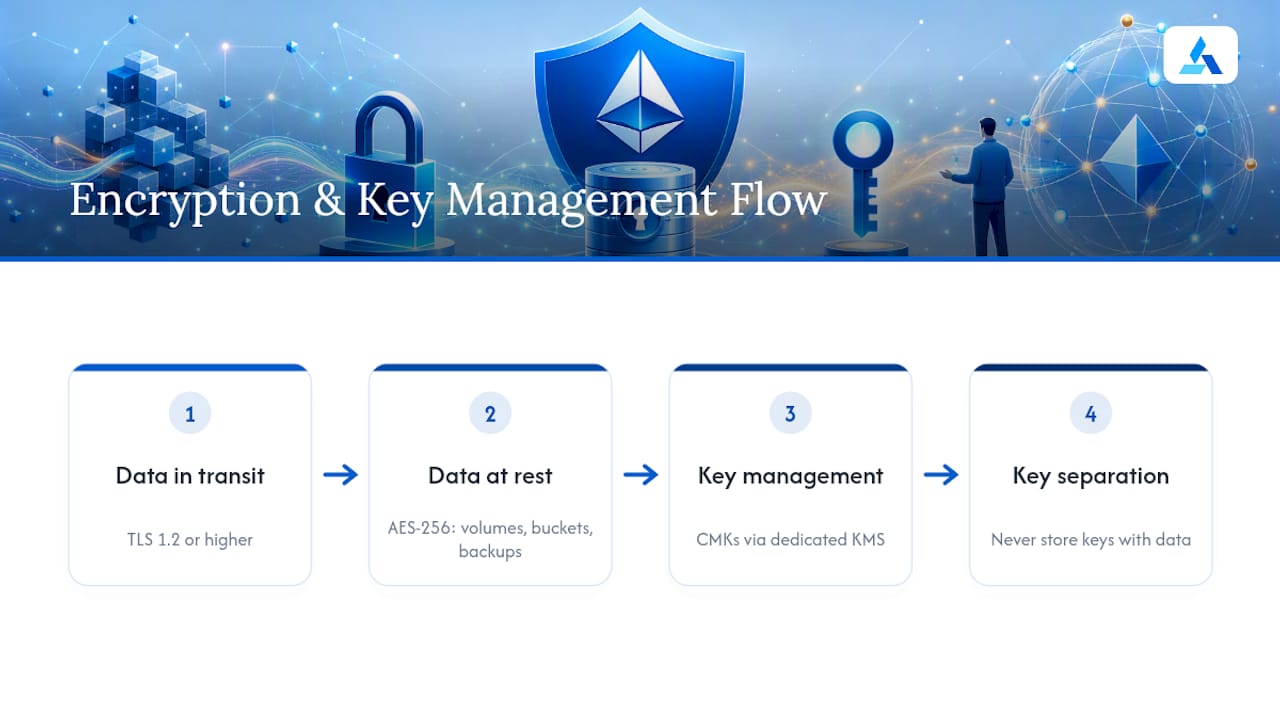
Encrypt every volume, bucket, and backup set at rest using AES-256 or equivalent. Encrypt all data in transit with TLS 1.2 or higher. Use customer-managed keys (CMKs) via a dedicated KMS for any data classified as sensitive or regulated. Never store keys in the same system as the data they protect.
Access control
Apply RBAC so users and service accounts get only the permissions their role requires. Enforce MFA for every privileged account that touches storage management consoles, backup systems, or key management. Separate backup admin credentials from production admin credentials — this is the single most impactful administrative control for ransomware resilience.
Immutable backups and integrity
Immutable snapshots and WORM (Write Once, Read Many) storage prevent backup sets from being deleted or overwritten, even by an admin account. Maintain at least one offline or air-gapped copy. Run cryptographic hash checks on backup sets to detect tampering before you need to restore.
Monitoring and posture management
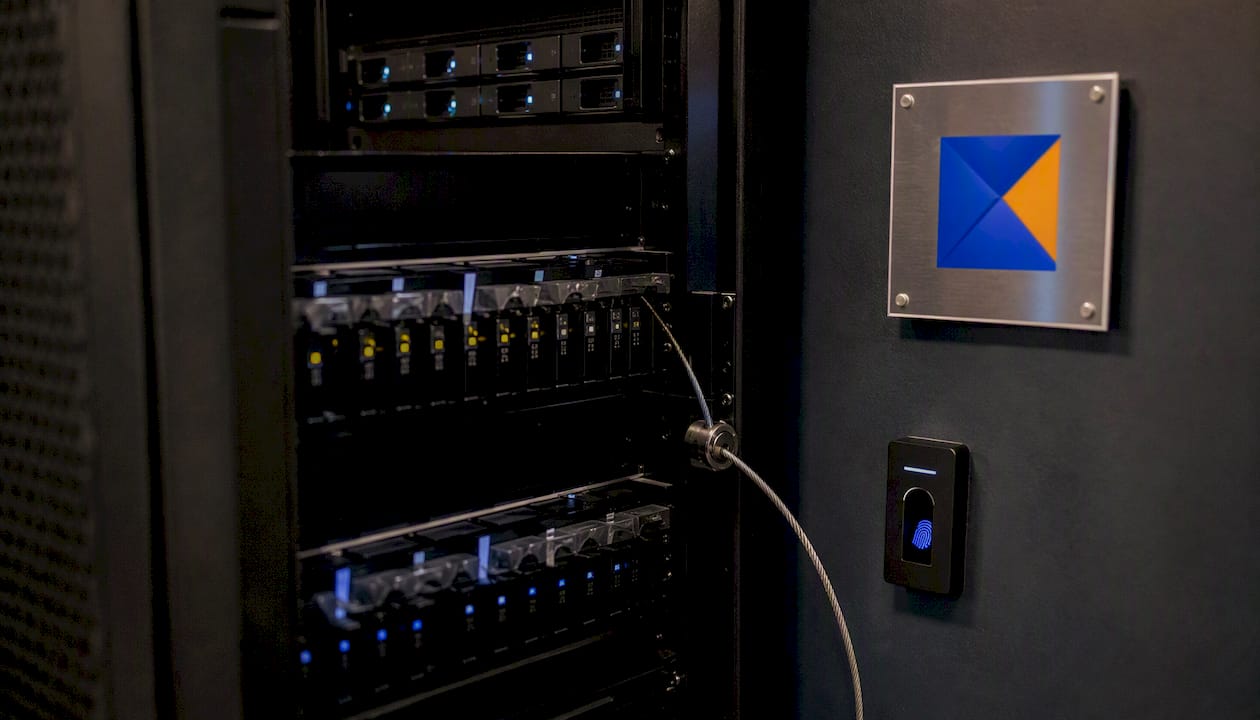
DSPM provides a data-centric view of your cloud security posture by discovering and classifying sensitive data, assessing exposure, and enabling policy-based controls. Pair DSPM with file integrity monitoring, storage access logging, and alerting on anomalous access patterns. Log everything — storage access logs are often the only forensic record after an incident.
Administrative controls
Document a data classification policy, a retention schedule, and a change control process for storage configuration changes. Include storage security requirements in vendor and SaaS contracts. Define SLAs for recovery time and recovery point objectives before an incident, not during one.
Pro Tip: Keep your recovery runbook in a location that survives a full production outage — a printed copy in a secure location or a read-only document store with separate credentials.
A prioritized checklist for protecting stored data
Translate the controls above into a timeline you can actually execute.
Immediate (0–30 days)
- Enable encryption at rest on every storage volume, bucket, and backup set — start with anything holding regulated or sensitive data.
- Inventory all storage destinations and assign an owner to each.
- Segregate backup admin credentials from production admin credentials.
- Enable MFA for all accounts with storage admin or backup admin access.
- Block public access at the organization level for all cloud object storage.
Short-term (30–90 days)
- Implement immutable snapshots or WORM storage for all backup sets.
- Deploy DSPM or a data discovery and classification tool to find sensitive data you don’t know about yet.
- Enforce least privilege — audit and reduce permissions for all storage-related service accounts and admin roles.
- Add storage access logging and configure alerts for anomalous patterns (bulk downloads, after-hours deletes).
Medium-term (3–6 months)
- Test restores from every backup set — not just verify completion, but actually restore to a test environment and validate data integrity.
- Run a tabletop incident response exercise specifically for a storage breach or ransomware scenario.
- Introduce customer-managed keys for your highest-sensitivity data stores.
- Review and update vendor contracts to include storage security and breach notification requirements.
Pro Tip: Test backups by restoring to an isolated environment, not by checking a “backup completed” status. A backup that can’t restore is not a backup.
Securing data across its full lifecycle
Security applied only at the storage layer is security applied too late. Zero Trust guidance treats data protection as a lifecycle responsibility, not a point-in-time control.
- At creation: classify data at the point of ingestion or creation. Apply encryption defaults. Collect only the data you need — minimal collection reduces your attack surface.
- In use: apply tokenization and data masking for non-production environments so developers and testers never touch real sensitive data. Tie access controls to roles and purposes, not just identity.
- In archive: use immutable archives with defined retention schedules. Implement legal hold workflows that prevent deletion of data subject to litigation or regulatory inquiry.
- At disposal: sanitize storage media using NIST SP 800-88 guidelines (overwrite, degauss, or physical destruction depending on media type). Use cryptographic erasure for cloud storage. Document every disposal action.
The disposal step is where most teams get sloppy. A decommissioned server with an unwiped drive is a breach waiting to happen. Data management strategies that treat disposal as a formal, documented process close that gap.
Which storage types and security technologies should you use?
Storage technology choices directly shape which security controls are available to you.
Storage types and their security profiles:
- Block storage (SAN, EBS) — high performance, supports volume-level encryption, tight access control via storage fabric zoning.
- File storage (NAS, NFS, SMB) — supports ACLs and audit logging, but misconfiguration of share permissions is a common exposure vector.
- Object storage (S3, Azure Blob, GCS) — built-in versioning, bucket policies, and server-side encryption; Azure Blob Storage supports RBAC via Azure AD and FIPS-compliant encryption.
- Backup and archival — requires immutability features, offline copies, and separate credential management.
- Hybrid cloud — requires consistent policy enforcement across on-prem and cloud tiers, often the hardest environment to secure uniformly.
Security technology categories:
- KMS/CMK — dedicated key management for encryption key lifecycle, rotation, and access auditing.
- DSPM — discovers and classifies sensitive data across cloud environments, assesses posture, and enables targeted enforcement.
- Immutable snapshot systems — prevent backup deletion or modification, even by privileged accounts.
- Confidential computing / TEEs — protect data in use by isolating processing in hardware-secured enclaves; increasingly relevant for AI workloads on sensitive data.
- Tokenization and masking — replace sensitive values with non-sensitive tokens for use in non-production environments.
Evaluation criteria: encryption model (provider-managed vs. customer-managed keys), immutability features, ease of recovery testing, auditability and logging depth, and scalability to your data volume.
For monitoring tool selection, prioritize tools that integrate with your existing logging pipeline and support policy-as-code so controls are version-controlled and auditable.
How do you apply Zero Trust principles to stored data?
Zero Trust means no implicit trust — every access request to stored data is verified, regardless of where it originates. Government Zero Trust guidance makes data security a core design requirement, not a perimeter afterthought.
Applied to storage, that means:
- Microsegmentation — isolate storage systems so a compromised application server can’t directly reach backup storage or other unrelated data stores.
- Attribute-based access control (ABAC) — extend RBAC with data sensitivity labels, user context, and device posture so access decisions are dynamic, not static.
- Continuous authorization — re-verify access on each request rather than trusting a session established at login.
- Separation of duties for backups — no single account or team should have both production admin and backup admin access.
- Continuous monitoring and DSPM enforcement — treat every anomalous storage access as a signal worth investigating.
Implementation roadmap:
- Discover and classify all data assets.
- Apply least-privilege policies based on classification.
- Enable continuous telemetry on storage access.
- Pilot enforcement in detective/dry-run mode before blocking.
- Enforce, then iterate as new data stores are added.
Pro Tip: Run VPC service controls and cloud IAM policies in dry-run mode for at least two weeks before enforcement. Accidental production lockouts from premature enforcement are a real and painful failure mode.
What compliance frameworks apply to stored data?
Regulatory requirements don’t define your security program, but they do set a floor — and regulators increasingly audit storage-layer controls specifically.
GDPR requires that personal data of EU residents be protected with appropriate technical measures, including encryption, access controls, and the ability to demonstrate compliance. Breach notification within 72 hours is mandatory, which means your incident response and logging must be good enough to detect and scope a breach quickly.
HIPAA mandates administrative, physical, and technical safeguards for stored protected health information (PHI). The HHS HIPAA guidance covers encryption, access controls, audit logging, and contingency planning — all of which map directly to the storage controls in this guide.
PCI DSS sets specific requirements for cardholder data storage: encrypt stored cardholder data, restrict access to the minimum necessary, log all access, and test security systems regularly. The PCI Security Standards Council publishes detailed implementation guidance.
The practical implication: if you implement the controls in this guide, you’ll satisfy the storage-layer requirements of all three frameworks. Compliance is a byproduct of good security, not a separate workstream.
The most common mistakes teams make with secure storage
Most storage breaches aren’t sophisticated. They exploit gaps that teams knew about but hadn’t closed.
Encrypting transit but not rest. Teams often prioritize TLS and forget that data sitting on an unencrypted volume is readable by anyone with physical or OS-level access. Storage-layer encryption, key management, and immutability are the most frequent failure points.
Treating backup completion as backup success. A backup job that completes without errors is not a tested backup. Until you’ve restored from it in an isolated environment, you don’t know if it works.
Shared admin credentials. A single set of storage admin credentials used by multiple people makes attribution impossible and means one phished employee can compromise everything.
Ignoring decommissioned storage. Old drives, retired cloud buckets, and forgotten backup tapes are a persistent exposure. Build decommissioning into your asset lifecycle process.
Over-trusting cloud provider defaults. Cloud providers secure the infrastructure. You secure the data on it. Default bucket policies, default encryption settings, and default access controls are rarely sufficient for sensitive data.
Authentication and authorization beyond RBAC
RBAC is the starting point, not the finish line. The threat model for stored data requires layered identity controls.
Multi-factor authentication (MFA) is non-negotiable for any account with storage admin, backup admin, or KMS access. Phished passwords are the most common entry point for storage attacks. MFA breaks that chain.
Privileged access management (PAM) tools like CyberArk or BeyondTrust provide just-in-time access to storage admin functions, record sessions, and require approval workflows for sensitive operations. They reduce the standing privilege that makes insider threats and credential theft so damaging.
Zero Trust network access (ZTNA) replaces VPN-based access to storage management interfaces with identity-aware, device-posture-checked connections. An attacker with stolen credentials but a non-compliant device gets blocked before reaching the storage layer.
Service account governance — application service accounts that access storage should use short-lived tokens or workload identity federation rather than long-lived static credentials. Rotate any static credentials that can’t be replaced with short-lived tokens.
How should you respond to a storage breach?
Speed and containment are everything. The longer an attacker has access to your storage, the more data they can exfiltrate or encrypt.
Immediate containment (first hour):
- Isolate affected storage systems from the network without destroying forensic evidence.
- Revoke or rotate compromised credentials immediately.
- Preserve storage access logs before any cleanup activity.
Assessment (hours 1–24):
- Determine the scope: which storage systems were accessed, what data was exposed or encrypted, and what time window the attacker had.
- Identify the entry point and the lateral movement path.
- Engage legal counsel early if regulated data is involved — breach notification timelines start at the moment of discovery, not the moment of confirmation.
Recovery:
- Restore from the most recent clean, verified backup — this is why tested, immutable backups are the decisive control.
- Validate data integrity before bringing systems back online.
- Document the incident timeline for regulatory reporting and internal post-mortem.
Post-incident:
- Run a blameless post-mortem focused on control gaps, not individual failures.
- Update your runbooks, detection rules, and access controls based on what the attacker actually did.
What’s next in secure data storage technology?
The storage security field is moving fast, driven by AI workloads, cloud scale, and increasingly sophisticated attackers.
Homomorphic encryption allows computation on encrypted data without decrypting it first. Practical implementations are still limited to specific use cases due to performance overhead, but the technology is maturing and will matter for privacy-preserving analytics on sensitive datasets.
Confidential computing and Trusted Execution Environments (TEEs) protect data in use by isolating processing in hardware-secured enclaves, even from the cloud provider’s own infrastructure. This is increasingly relevant for AI model training on sensitive data and for multi-party data sharing scenarios.
Blockchain for data integrity uses distributed ledger technology to create tamper-evident audit trails for data access and modification. The practical application is not replacing storage systems but adding an immutable audit layer on top of them.
AI-driven threat detection applies machine learning to storage access telemetry to detect anomalous patterns — bulk downloads at 3 AM, access from unusual geolocations, sudden spikes in delete operations — faster than rule-based alerting. Building an AI threat analysis workflow into your storage monitoring stack is becoming a practical option, not a research project.
Hybrid cryptographic approaches combining ECC and AES offer performance advantages for large-scale government and enterprise datasets, as MDPI research on secure data management lifecycles has explored.
Blue Prysm turns your data security priorities into an executable strategy
Most teams know what they need to do. The gap is translating a list of controls into a roadmap leadership will fund and operations will actually execute.

Blue Prysm’s AI-powered research and strategy platform helps security and strategy leaders build the business case for data protection investments, map controls to compliance requirements, and produce executive briefings that move decisions forward. For teams that need hands-on support, Blue Prysm’s white-glove consulting engagements cover discovery, gap analysis, and governance roadmaps tailored to your storage environment and regulatory obligations. Request a sample intelligence briefing to see how Blue Prysm frames data security priorities for executive audiences.
Why secure storage is a strategy problem, not just a security problem
Most of the conversation around secure data storage stays in the technical lane — encryption algorithms, bucket policies, key rotation schedules. That’s necessary work. But the teams that actually get this right treat storage security as a strategic commitment, not a checklist item handed to the IT department.
Here’s what I’ve seen repeatedly when working with SMBs on data resilience: the technical controls are often closer to correct than leadership realizes. The real gap is governance. Nobody owns the classification policy. Backup testing never makes it onto the quarterly calendar. The vendor contract doesn’t mention breach notification. These aren’t technical failures — they’re organizational ones, and they’re fixable with the right framing at the executive level.
Secure storage also directly enables better strategy execution. If your market intelligence, customer data, and competitive research live in storage systems you can’t trust, the insights you’re drawing from them are suspect. Reliable data infrastructure is what makes real-time market analysis and confident decision-making possible. That’s not a security argument — it’s a business argument, and it’s the one that gets budgets approved.
If you want a short diagnostic on where your data governance stands, start with a research conversation with the Blue Prysm team.
Sources
The controls in this guide are grounded in published standards. These are the primary references worth bookmarking:
- Secure storage – IEEE TECHNAV
- Zero-Trust Data Security Guide (CIO.gov)
- What is storage security? – SNIA
For executive-level framing on why secure data matters to business outcomes, the Blue Prysm data security guide connects storage resilience to strategic decision-making in language that works for leadership conversations.
FAQ
What is secure data storage in simple terms?
Secure data storage means protecting your data’s confidentiality, integrity, and availability — whether it’s sitting on a disk, moving across a network, or being processed by an application. The core controls are encryption, access control, and tested backups.
What is the most important first step for securing stored data?
Enable encryption at rest on every storage volume and bucket, and separate your backup admin credentials from your production admin credentials. These two steps close the gaps most commonly exploited in ransomware attacks.
How does Zero Trust apply to data storage?
Zero Trust means every access request to stored data is verified continuously, not trusted based on network location. Applied to storage, it means microsegmentation, attribute-based access control, separation of duties for backups, and continuous monitoring via tools like DSPM.
What regulations require secure data storage controls?
GDPR, HIPAA, and PCI DSS all mandate storage-layer controls including encryption, access restrictions, audit logging, and breach notification capabilities. Implementing the controls in this guide satisfies the storage requirements of all three frameworks.
How often should you test backups?
Test restores from every backup set at least quarterly, and after any significant infrastructure change. A backup that hasn’t been restored to an isolated test environment is an assumption, not a verified recovery capability.