


TL;DR:
- Scenario testing evaluates how systems or decisions perform under different plausible conditions to identify risks early.
- Using concise, intent-focused scenarios and AI tools streamlines testing processes, reduces costs, and updates coverage efficiently.
Scenario testing is defined as the practice of evaluating how a system, strategy, or decision performs across a range of plausible conditions before committing real resources. For business leaders and project managers, it is the difference between a gut-feeling bet and a defensible decision. Done well, it cuts costs, accelerates planning cycles, and surfaces risks that spreadsheet forecasts simply miss. The tips below are grounded in current research and real operational patterns, not textbook theory.
1. Apply the best scenario testing tips by writing concise, intent-focused scenarios
The single most common mistake teams make is writing scenarios that read like instruction manuals. Test scenarios should be 5–15 words, focused on what to test, not how to test it. Execution details belong in test cases, not scenarios. Scenarios bridge requirements and execution, and they are maintained far longer than test cases, so bloated wording creates compounding maintenance debt.
Use clear action verbs: “Verify,” “Check,” and “Confirm” each signal intent without prescribing steps. Keep scenarios modular and avoid binding them to specific release versions. A scenario tied to “Version 3.2 payment flow” becomes obsolete the moment the version changes. Write for longevity.
- Focus on user outcomes, not system steps
- Use active verbs that communicate intent
- Avoid version-specific or environment-specific language
- Schedule stakeholder reviews to catch coverage gaps early
Pro Tip: Never write a scenario as a numbered step-by-step list. If you find yourself writing “Step 1, Step 2,” you have written a test case, not a scenario. Rewrite it as a single declarative statement of intent.
2. Use AI to cut costs and accelerate regression cycles

AI is not a nice-to-have in scenario testing anymore. AI-native platforms reduce QA costs by 20%–40% and shorten regression cycles by 50%–70%. That is not a marginal efficiency gain. It is a structural shift in how testing teams operate and how quickly organizations can respond to change.
Beyond speed, AI tools generate adversarial scenarios that human testers rarely think to write. They probe edge cases, simulate hostile user behavior, and self-heal broken tests when the underlying product changes. This means your scenario library stays current without a full manual audit every sprint.
- Build scenarios from real product documentation and user logs, not generic templates
- Use AI to generate adversarial and negative-path scenarios automatically
- Let self-healing test tools reduce maintenance overhead between releases
- Review AI-generated scenarios with domain experts before adding them to the core library
AI-native tools reduce test authoring time by up to 88% compared to manual methods. That frees your team to focus on interpreting results, not writing boilerplate. For a deeper look at how this works in practice, the AI-powered scenario testing guide from Blue Prysm covers the full methodology.
Pro Tip: Regularly feed updated business data, user logs, and market signals into your AI testing suite. A scenario library built on last quarter’s data will miss this quarter’s risks.
3. Map dependencies before you write a single scenario
Third-party dependencies are the silent killers of scenario testing programs. Planning for dependencies like APIs, payment gateways, and databases before testing begins reduces execution delays and improves reliability across the board. Teams that skip this step spend more time debugging environment failures than analyzing actual scenario results.
Map every user workflow from start to finish. Identify the happy path first, then deliberately design edge cases and negative scenarios around it. A payment flow scenario, for example, should cover successful transactions, declined cards, network timeouts, and duplicate submission attempts.
| Variable type | Testing consideration |
|---|---|
| Third-party APIs | Mock or stub unavailable services to isolate failures |
| User actions | Cover happy paths, edge cases, and invalid inputs |
| Environmental factors | Test across staging, production-mirror, and load conditions |
| Data states | Include empty, partial, and corrupted data conditions |
Traceability linking scenarios to requirements or user stories makes updates far easier when requirements change. Without it, a single requirement shift can orphan dozens of scenarios with no clear owner.
4. Avoid the pitfalls that quietly kill scenario quality
Cognitive biases narrow scenario scope and produce scenario sets that are either too optimistic or too narrow to be useful. Teams tend to write scenarios that reflect their own mental models of how users behave. The result is a library that tests the expected and ignores the probable.
Treating scenarios like test cases is the other common trap. Excessive detail makes scenarios brittle. They break when the UI changes, when a workflow is reordered, or when a new team member interprets the steps differently. Stale libraries compound the problem. Without regular updates, scenarios drift away from the actual product and business context they were meant to cover.
- Rotate scenario reviewers to reduce individual cognitive bias
- Set a quarterly review cadence to retire or update stale scenarios
- Avoid writing more scenarios than your team can realistically maintain
- Never treat a scenario as a substitute for a test case
Pro Tip: Tag every scenario with module, priority, and automation status. When your library grows past 200 entries, tags are the only thing standing between you and a search nightmare.
5. Use scenario testing to sharpen strategic planning
Scenario testing is not just a QA practice. IBM recommends scenario-based evaluations of business decisions, including new investments and process changes, to detect early warning signs and build organizational agility. The same logic applies whether you are testing software behavior or evaluating a market entry decision.
SAP’s guidance on scenario planning emphasizes building a small number of plausible, distinct future narratives rather than trying to predict a single outcome. Each narrative should include quantitative ranges and monitoring signposts, which are observable indicators that tell you which scenario is unfolding. That shift from prediction to preparation is what makes scenario planning genuinely useful for leaders.
- Build 3–5 distinct narratives per decision, not a single forecast
- Attach signposts and triggers to each scenario for real-time monitoring
- Refresh scenarios when market conditions or business priorities shift
- Use scenario outcomes directly in contingency planning and budget modeling
Modern scenario planning focuses on understanding shaping forces rather than predicting exact futures. That mindset reduces vulnerability to shocks that no single forecast would have caught. For frameworks that support this kind of structured thinking, Blue Prysm’s strategy framework library covers more than 95 proven models including SWOT, Porter’s Five Forces, and the Business Model Canvas.
6. Involve non-technical stakeholders early
Scenarios communicate intent in plain language. That makes them uniquely suited for conversations with non-technical stakeholders, including finance leads, operations managers, and executives. Scenarios enable communication with non-technical stakeholders in ways that test cases simply cannot, because test cases are written for execution precision, not shared understanding.
Bring stakeholders into scenario design sessions before the library is built. Their perspective surfaces user behaviors and business risks that technical teams overlook. A finance lead, for example, will immediately flag scenarios around month-end processing volumes that a developer might never think to test. Early involvement also increases buy-in when scenario results inform a decision that affects their team.
7. Treat your scenario library as a living document
A scenario library that is not updated is a liability. Regularly updating AI testing inputs keeps scenarios aligned with real business risk profiles and maintains proactive risk identification. The same principle applies to manually maintained libraries. When your product changes, your scenarios must change with it.
Assign ownership to each scenario or scenario group. Without a named owner, updates get deferred indefinitely. Pair ownership with a review trigger, such as a major release, a regulatory change, or a shift in user behavior data. This keeps the library current without requiring a full audit on a fixed calendar schedule. For guidance on AI quality standards that support living test libraries, Tekkr’s framework offers a practical starting point.
Key Takeaways
Effective scenario testing requires concise intent-focused scenarios, mapped dependencies, AI-assisted coverage, and regular updates tied to real business risk and stakeholder input.
| Point | Details |
|---|---|
| Write for intent, not steps | Keep scenarios 5–15 words and focused on what to test, not how. |
| Use AI to cut cycle time | AI-native tools reduce QA costs by 20%–40% and regression cycles by 50%–70%. |
| Map dependencies first | Identify APIs, data states, and environment factors before writing scenarios. |
| Maintain traceability | Link every scenario to a requirement or user story for easier updates. |
| Refresh the library regularly | Assign ownership and update scenarios when the product or business context changes. |
Why most scenario testing programs plateau after six months
I have watched well-resourced teams build solid scenario libraries and then watch them decay. The pattern is almost always the same. The initial build is thorough. The first few sprints go well. Then the product evolves, the team gets busy, and the library stops being updated. Six months later, half the scenarios are testing features that no longer exist.
The fix is not more discipline. It is better structure. Assigning scenario ownership and tying updates to product events rather than calendar dates changes the behavior entirely. Teams stop treating the library as a project artifact and start treating it as operational infrastructure.
The other thing I consistently underestimate is the value of adversarial scenario design. Happy-path testing feels productive because it passes. Edge cases feel like extra work until the edge case becomes a production incident. Building adversarial scenarios into the standard workflow, not as an afterthought, is the single highest-leverage habit I have seen teams adopt. AI tools make this far easier now, but the mindset has to come first. The tool just accelerates what you already believe matters.
— Colin Bowdery
Blue Prysm’s tools for scenario testing and strategic intelligence
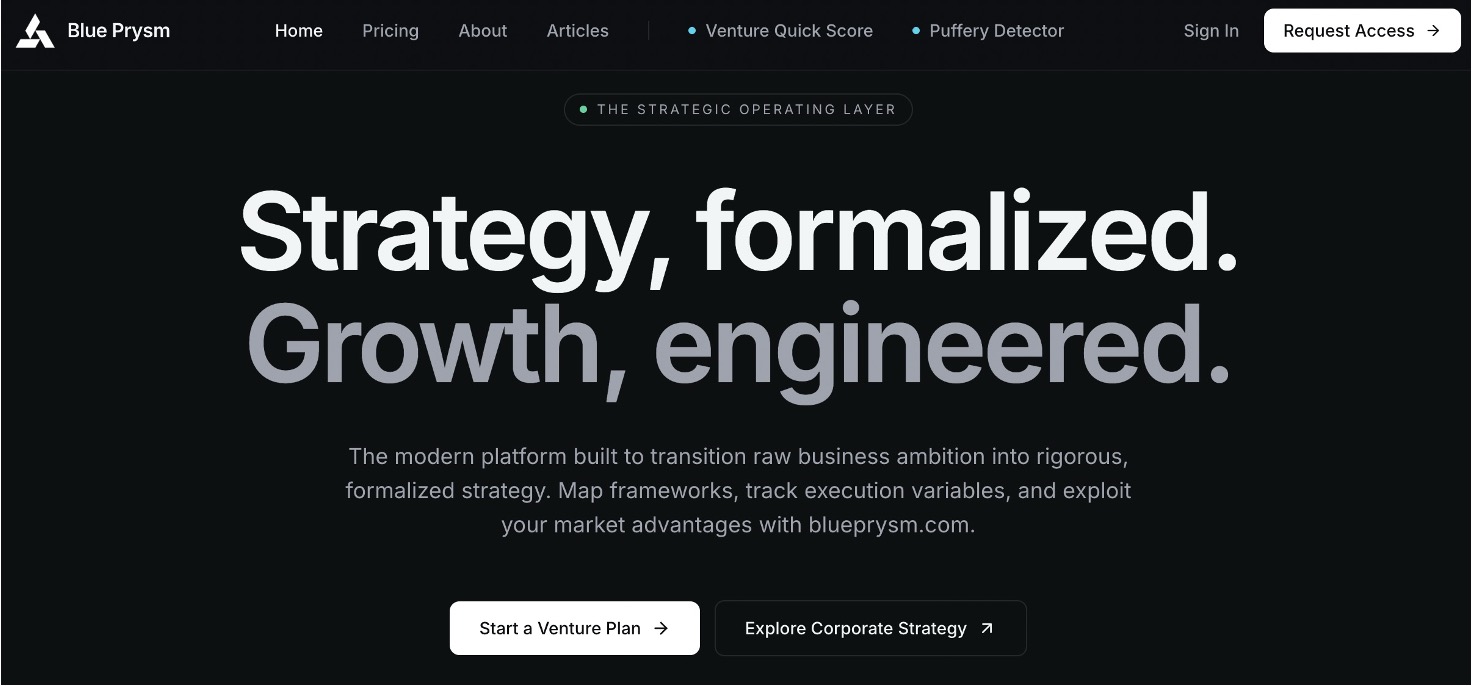
Blue Prysm builds AI-powered tools specifically for business leaders who need more than a spreadsheet to make confident decisions. The market research platform gives strategy teams real-time data to feed scenario planning cycles, so your scenarios reflect current market conditions rather than last quarter’s assumptions. The competitive intelligence tools track market shifts automatically, giving you the signposts your scenario monitoring needs. Blue Prysm makes elite-level strategic analysis accessible without the consulting fee. If your scenario testing program needs sharper data behind it, that is exactly what Blue Prysm is built to provide.
FAQ
What is scenario testing in business strategy?
Scenario testing is the practice of evaluating decisions or systems across a range of plausible future conditions before committing resources. It is used in both software QA and strategic planning to detect risks and improve decision quality.
How long should a test scenario be?
Test scenarios should be 5–15 words, focused on the intent of what is being tested rather than the steps to execute it. Longer scenarios become brittle and difficult to maintain as products evolve.
What are the biggest benefits of scenario testing?
The core benefits include earlier risk detection, faster regression cycles, and better alignment between testing and real business outcomes. AI-native tools extend these benefits by generating adversarial scenarios and reducing authoring time significantly.
How often should a scenario library be updated?
Scenario libraries should be updated whenever the product, regulatory environment, or business priorities change. Assigning named ownership to each scenario group and tying reviews to product release events is more reliable than fixed calendar schedules.
Can scenario testing support non-technical decision-making?
Yes. Scenarios are written in plain language, which makes them effective communication tools for non-technical stakeholders including finance, operations, and executive teams. Involving these leaders in scenario design improves coverage and organizational buy-in.